Cursor AI: What Operators Actually Need to Know (2026)

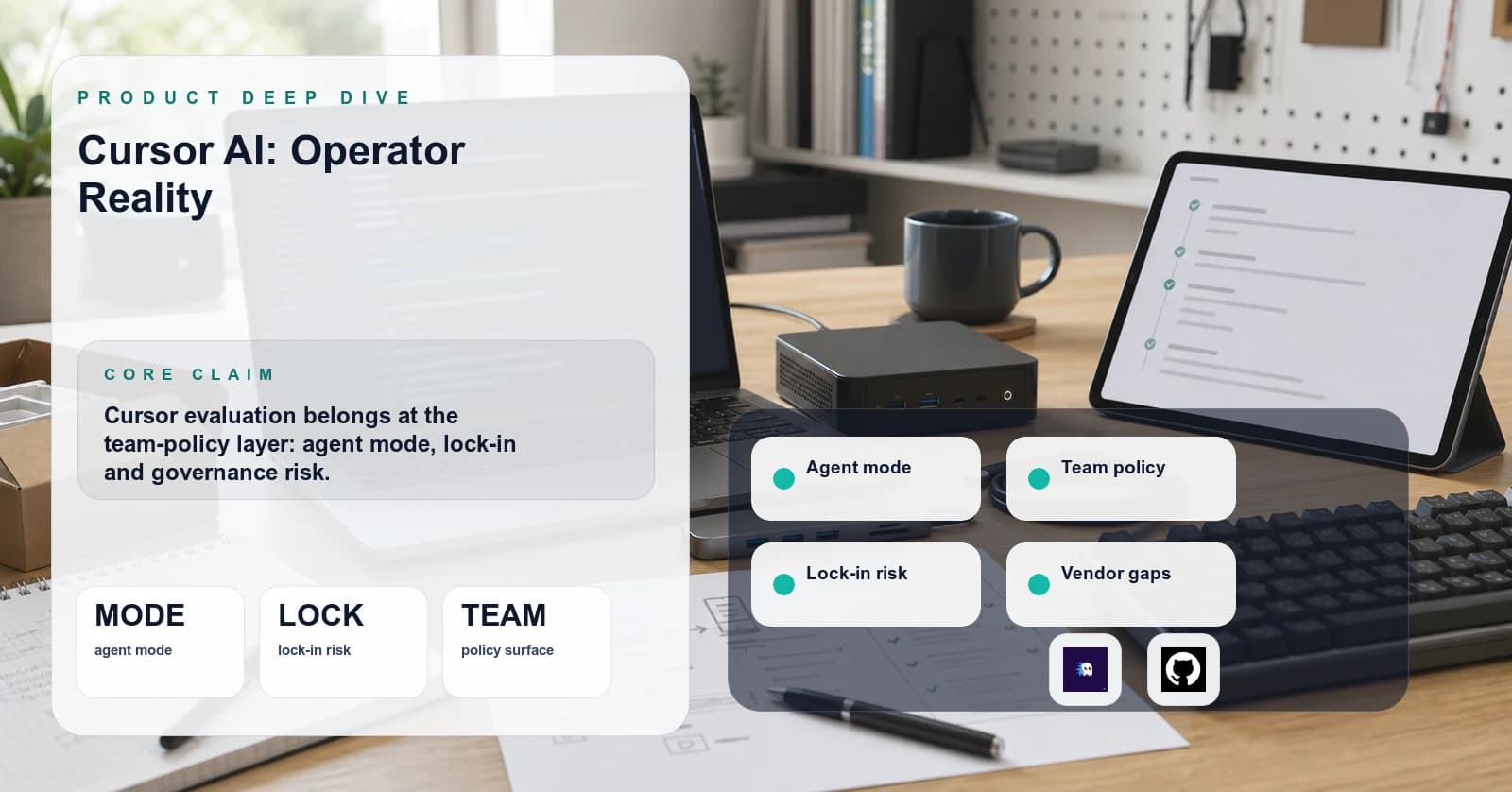
I have run Cursor as my primary editor on three production codebases over the last eighteen months, two TypeScript services and one Python data pipeline, with team sizes between four and twelve. I pulled it back out of two of those stacks when its tradeoffs stopped paying for themselves. Treat that as one operator's anecdote, not a benchmark; the workloads were specific and the team shapes were specific, and I am not generalizing from a sample of three. The vendor pitch is "AI-first IDE." The operator-grade view is messier. This page is what I wish a senior engineer had written for me before I onboarded a team to Cursor in late 2024.
TL;DR
Pick Cursor if your team works in TypeScript or Python monorepos, values multi-file refactor flows over terminal automation, and can accept Anysphere as a processor in the coding data flow under Privacy Mode and a reviewed agreement. Avoid Cursor if you have hard on-prem data-residency requirements, if your stack is heavy on languages where the indexer is shallow (older Go protobuf-heavy services, Erlang, Elixir, less common JVM languages), or if your engineers already live in a terminal-native loop with Claude Code or Aider and are productive there. Cursor is a strong IDE-coupled agent surface and a weak fit when your real pain is build-system orchestration, long-horizon agent loops, or running untrusted code safely. Cost scales nonlinearly with usage because heavy Agent and MAX-mode users consume included usage faster than light completion users.
The mental model
Cursor is two things bolted together: a VS Code fork with an editor experience tuned for AI features, and a model-routing layer that sits between the editor and a set of hosted frontier model providers. The editor part is what most reviews focus on. The routing layer is what determines your cost, latency, and privacy posture, and it gets far less attention than it should. Which providers and model identifiers sit behind the routing layer rotates over time; confirm the active list at cursor.com before assuming any specific backend.
Strip the marketing and the product breaks into four distinct surfaces:
- Tab completion (single-line and multi-line in-place suggestions, similar to Copilot)
- Inline edit (Cmd+K, in-place rewrites of a selection)
- Composer / chat (multi-file edits guided by a chat panel with codebase context)
- Agent mode (Composer with autonomous tool use: file reads, terminal commands, edits across the workspace)
These are not interchangeable. Tab completion competes with Copilot. Composer competes with Aider and Claude Code's IDE integration. Agent mode competes with the Claude Code terminal loop and Devin-style autonomous setups. A team adopting Cursor adopts all four, and the value-per-engineer depends on which surface they actually use day to day. In the teams I have watched, usage skews heavily toward tab completion for most engineers, with Composer reserved for occasional larger refactors and agent mode concentrated in a small subset of power users. The shape of that skew varies team to team, so measure it on your own engineers before pricing the rollout.
The landscape
Cursor sits inside a crowded category. A non-exhaustive grouping as of 2026-05-07, with the caveat that product classifications shift quarter to quarter:
- IDE-coupled agents: Cursor (VS Code fork), Windsurf (Codeium's editor), VS Code + GitHub Copilot Workspace, JetBrains AI Assistant. These embed the agent in the editor.
- Terminal-native agents: Claude Code, Aider, OpenAI Codex CLI, the various Continue.dev configurations. These run in a shell and edit files via patches.
- Hosted autonomous agents: Devin, Replit Agent, Vercel v0 for UI work. These run remotely with their own VM.
- In-editor extensions: Continue.dev, Cline (formerly Claude Dev), Roo Code. These are VS Code extensions that bring agent functionality without a fork.
Cursor's specific position: a prominent IDE-coupled option with meaningful adoption among engineering teams in the small-to-mid range, and one of the more aggressive product-velocity stories in the category. Aggressive velocity has tradeoffs (see the standards section).
What actually matters operationally
The dimensions vendor pages emphasize (model quality, prompt UX, demo polish) are not the dimensions that drive production decisions. Here is what actually matters when operating Cursor at team scale.
Indexer quality and refresh latency. Cursor builds a workspace index that backs codebase-aware retrieval. The index has to refresh as the code changes. Behavior varies sharply by codebase: smaller, hand-written codebases tend to stay in sync; larger repos with heavy code generation are more likely to lag the live tree. The failure mode is silent. The agent confidently produces a patch against a function signature that no longer exists. Test the indexer on the actual codebase before committing a team to it, and pay attention to whether refactor-heavy days produce more "patch does not apply" outcomes than expected.
Per-seat cost vs usage cost. Cursor's pricing has shifted multiple times and the current shape is whatever Anysphere publishes today, not whatever I remember from last quarter. The public pricing page checked on 2026-05-07 listed individual Pro at $20/month, Pro+ at $60/month, Ultra at $200/month, and Teams at $40/user/month, with on-demand usage after included plan usage. Confirm the active plan structure, included usage, and overage behavior at https://cursor.com/pricing before modeling team cost. The directional point that survives the churn: cost-per-engineer is not uniform. Light users sit close to the seat floor. A small number of heavy users dominate variable spend.
Privacy Mode and what it actually does. Privacy Mode is a training/retention posture, not a magic on-prem mode. Cursor's data-use page says that when Privacy Mode is enabled, model-provider zero data retention is enabled and code is not trained on by Cursor or third parties. The same page also says requests still go through Cursor's backend, codebase indexing can upload code chunks to compute embeddings, and temporary encrypted file caches may exist server-side to reduce latency. If the compliance team's mental model is "code never leaves our cloud," Privacy Mode does not satisfy that requirement.
Lock-in risk. Cursor's competitive advantage depends on workflows specific to the editor: the Composer panel, the keyboard shortcuts, the rules system, the agent loop. Engineers who adopt these workflows develop muscle memory that does not port easily. The editor is a VS Code fork, so the underlying file format and language servers are portable. The AI workflows are not. Migrating a team off Cursor is a workflow-retraining exercise, not a config-export exercise. Lock-in is medium and concentrated in habits, not data.
Self-hosting story. As of 2026-05-07, Cursor's public product and pricing docs expose a local editor plus hosted services, not a self-hosted Cursor control plane. The editor runs locally; AI features depend on Anysphere's hosted services. Teams with strict on-prem requirements should treat Cursor as out of scope unless Anysphere contractually offers a private deployment, and should look at Continue.dev with a self-hosted gateway like LiteLLM instead.
Debuggability when things go wrong. When Composer produces a wrong patch, tooling to understand why is limited. The chat history is visible, but the underlying retrieval context (which files were embedded, which chunks were selected) is not exposed in the UI. Compare to Aider, where the entire context window is visible in the terminal scrollback. Operators who debug AI workflows benefit from terminal-native loops. Cursor is opaque by comparison.
Detailed teardowns
Cursor
Position in the mental model: IDE-coupled agent, hosted routing layer. The default option for engineering teams that want a low-friction onboarding path, want centralized seat governance, and do not require self-hosting.
Architecture: VS Code fork with a custom AI control plane. The editor runs locally. AI requests route through Anysphere's infrastructure to underlying model providers. Cursor's own data-use page says even customer API-key requests still go through its backend for final prompt building, and codebase indexing can upload code chunks for embedding. An agent loop runs as an orchestrated chain of tool-call rounds, with each round producing edits or terminal commands the user can approve. Where the workspace index, embeddings, and retrieval context actually live is exactly the question a regulated buyer needs answered in writing before signing. Confirm with Anysphere directly, get the answer attached to the order form, and treat it as load-bearing for any compliance review.
Cost / scale tradeoffs: Per-seat licensing gives you a predictable floor for a fixed team size. Included model usage and on-demand billing create the variable part. At a 10-engineer team with two power users, expect those power users to consume the bulk of the included Agent/MAX-mode usage. At a 100-engineer team, the distribution flattens but the absolute spend grows. Anecdotally, in my own use at sustained heavy Composer workloads, I exhausted the practical included-usage comfort zone before the billing cycle ended; treat that as a warning to model your own distribution, not as a universal threshold.
When it's the right call: TypeScript or Python team between five and a hundred engineers, monorepo or polyrepo, no hard data-residency constraints, willing to accept Anysphere as a sub-processor. Heavy refactor work where Composer's multi-file edits pay off. Mixed seniority where junior engineers benefit from inline completion and seniors benefit from agent mode for boilerplate-heavy work.
When it's the wrong call: Air-gapped environments. Stacks with shallow indexer support (Erlang, Elixir, less common languages). Teams already productive in Claude Code or Aider where the workflow swap costs more than the editor-integration gains. Solo developers who do not need the per-seat governance and would be better served by a metered Anthropic API key plus Aider.
Windsurf (Codeium)
Position in the mental model: IDE-coupled agent, hosted routing layer. The closest direct competitor to Cursor.
Architecture: Also a VS Code fork. Codeium's history started in completion-only and expanded into agent territory. Windsurf has an enterprise/self-hosted story in its public docs, but the exact boundary between local editor, plugin, completion, and Cascade agent paths needs a live enterprise-doc check before treating it as a hard on-prem substitute for Cursor.
Cost / scale tradeoffs: Pricing is structurally similar (per-seat plus usage/credits). Windsurf's docs reference Enterprise self-hosted or custom deployment paths, especially for plugins; verify whether the agent path you intend to use is covered before counting it as a residency control.
When it's the right call: Teams that need an enterprise deployment path and can verify the exact Windsurf/Codeium component boundary in writing. Teams that prefer Windsurf's pricing posture. Teams whose engineers have used Codeium's completion product and have established trust.
When it's the wrong call: Teams who want the most polished agent surface. Subjectively, after running both products on the same refactors over several weeks, I found Cursor's Composer faster to invoke, its multi-file diff review easier to scan, and its agent-mode approval flow less noisy than Windsurf's Cascade. That is a personal preference, not a benchmark, and your team may weigh those affordances differently. On more measurable axes, the two are close: model selection breadth, indexer behavior on large repos, and MCP server support are all in the same ballpark as of 2026-05-07. If polish matters less than self-hosting, Windsurf wins on the dimension that actually moves the decision.
Claude Code (terminal-native)
Position in the mental model: Terminal-native agent. Different category, but a real alternative for teams that have rejected the IDE-coupled approach.
Architecture: CLI tool that runs in your shell, talks to the Anthropic API directly. File edits via patch application. Tool use via shell commands, file reads, web fetches. No editor coupling. Pairs well with any editor.
Cost / scale tradeoffs: Direct Anthropic API billing, with the option of a flat-rate Claude subscription instead. No per-seat fee on the API path. The cost model is not strictly linear because prompt caching, model-tier mix (Opus vs Sonnet vs Haiku), tool-call outputs that re-enter context, and subscription packaging all bend the curve. But marginal usage is far more visible than under Cursor's included/on-demand usage model: a heavy refactor session shows up as a line item in your API console the next day, attributable to the prompts that produced it. For heavy users, this can come out cheaper or more expensive than Cursor depending on workload mix and how aggressively caching gets exercised. The transparency is the feature, not the linearity.
When it's the right call: Solo developers. Engineers who already live in a terminal. Teams running long-horizon agent loops where the agent needs to drive a build-test-fix cycle for hours unattended. Operators who want full visibility into prompts and tool calls for debugging.
When it's the wrong call: Engineers who do not want to context-switch to a terminal for AI work. Teams that need centralized billing and per-seat governance. Use cases dominated by inline completion, where Cursor's tab completion is a better fit.
Continue.dev with LiteLLM
Position in the mental model: VS Code extension plus self-hosted gateway. The DIY path.
Architecture: Continue.dev is an open-source VS Code extension that provides chat, edit, and limited agent functionality. LiteLLM is a self-hosted gateway that proxies to model providers. Pairing them gives you a Cursor-equivalent feature set you operate yourself, with full control over the routing layer.
Cost / scale tradeoffs: No Cursor seat fee. Direct model-provider costs plus the operational overhead of the gateway. At fleet scale, this can be cheaper than seat-based products, but only after you include the SRE time, support burden, and feature gap in the model.
When it's the right call: Teams with strict data-residency requirements who can run a gateway in their own infrastructure. Teams whose engineering culture includes operating internal tools. Cost-sensitive teams at scale.
When it's the wrong call: Teams without operational capacity. Teams that need polished agent UX, where Continue.dev's agent mode is meaningfully behind Cursor's. Teams that value time-to-value over long-run cost.
The standards layer
There is no settled standard for IDE-coupled agent interop as of 2026-05-07. The Language Server Protocol covers static analysis. The Debug Adapter Protocol covers debugging. Neither covers AI-mediated code edits, agent tool use, or context retrieval. Each vendor builds its own proprietary surface.
The closest thing to an emerging standard is MCP (Model Context Protocol), which Anthropic introduced in late 2024 and which has been picked up by Claude Code, Cursor, and a growing list of editor extensions. MCP standardizes how an AI tool connects to external data sources and tools. It does NOT standardize the editor-side workflow (Composer panels, agent loops, completion behavior). Cursor's current docs support MCP servers over stdio, SSE, and Streamable HTTP, which means custom tool integrations you build for Claude Code can often be reused inside Cursor with modest changes. This is a meaningful interop win and one of the reasons Cursor's lock-in is medium rather than high.
What MCP does not solve: the workflow-level interface (how the agent decides what to do, how the editor presents proposals, how rules and context get injected). That layer remains proprietary per editor, and directionally I do not see strong pressure pushing it toward a shared standard in the near term. Vendors compete on those exact affordances, which is the opposite of the conditions that produced LSP. I could be wrong, and a credible open spec could emerge faster than I expect, but I would not plan a team's tooling strategy on the assumption that workflow-level interop arrives soon.
Things nobody talks about
The indexer staleness window in active development. When you are mid-refactor, the index can be seconds to minutes behind the live code. Composer will occasionally generate a patch against an old function signature, the patch will fail to apply cleanly, and you will spend ten minutes diagnosing what looked like a model failure but was actually a retrieval failure. Action: when doing large refactors, save and wait briefly before invoking Composer on related files. Better yet, scope the refactor narrowly so the index has time to catch up between rounds.
Privacy Mode enforcement belongs in the team contract, not a screenshot. Cursor's pricing page currently lists org-wide Privacy Mode controls on Teams, and the data-use page explains what Privacy Mode does and does not cover. Whether a user-level toggle is sufficient, whether an org default can override it, and what audit evidence admins get are still exactly the questions a compliance review needs settled in writing. Action: do not infer enforcement behavior from the settings panel. Confirm with Anysphere sales in writing, before signing, which tier enforces Privacy Mode, what happens when user and org settings disagree, and whether the guarantee is contractual or best-effort. Get the answer attached to the order form, not in a support thread.
Cursor rules have improved, but stale or contradictory rules still hurt. .cursorrules is now legacy, and current Project Rules live under .cursor/rules with rule types, glob scoping, and nested directory support. That is a real improvement for monorepos. The remaining failure mode is rule hygiene: too many broad rules, contradictory nested rules, or stale generated conventions that the agent dutifully applies. Action: keep rules files small, scoped, and version-reviewed like code. Prefer nested rules for genuinely different services instead of one giant workspace policy.
Agent mode's terminal-command tool can run commands you would not run yourself. When the agent decides to verify its work by running a test, it issues a terminal command that you approve or reject. The default approval flow batches commands. If you are in flow and approving without reading carefully, you can grant the agent permission to run a destructive command (delete a directory, push to a branch, modify state). I have not had this happen in production, but I have watched another engineer accidentally allow a git checkout . that wiped uncommitted local changes. Action: turn off batch approval for terminal commands. Read every command before approving. Use a worktree or container when running agent mode against an unfamiliar codebase.
Included usage is still a planning constraint. Cursor's current pricing model describes plan-level included model usage plus on-demand usage after that. The exact counters and labels have changed enough that "fast request" language goes stale quickly. Operators who do most of their AI-heavy work in the first week of a sprint still need a budget policy. Action: monitor the admin dashboard, set spending limits where available, and upgrade the seat tier or enable on-demand usage deliberately for known heavy weeks.
The model selection menu is not a stable API. Cursor rotates which models are available, which are tagged "fast" vs "premium," and which carry which costs. A workflow tuned around a specific model selection in January may not translate in May. There is no contract that a given model identifier remains available or remains in the same pricing tier. Action: avoid building tooling that hard-depends on a specific Cursor model selection. If model stability matters, route through a self-hosted gateway against the underlying provider directly.
Implementation patterns
The patterns below are self-contained, copy them directly into your workspace.
Pattern 1: Project rules for a TypeScript service
Cursor's rules file is the highest-leverage configuration surface. A rules file that captures real conventions does more for output quality than any prompt-engineering effort inside Composer.
# .cursor/rules/typescript.mdc
---
description: TypeScript conventions for this service
globs: ["**/*.ts", "**/*.tsx"]
---

This service uses strict TypeScript with no implicit any.
Prefer named exports over default exports.
Use zod for runtime validation at API boundaries.
Test files live next to source files as <name>.test.ts.
Use vitest as the test runner. Do not import from jest.
Avoid try/catch around await unless the error is being transformed
or logged with additional context. Let errors propagate by default.
The glob scoping limits this rule to TypeScript files. Add a separate file for Python or Go services in the same monorepo.
Pattern 2: MCP server registration for internal tooling
If you have an internal CLI or service the agent should be able to query, expose it via MCP and register the server in Cursor's settings. This works the same way it does for Claude Code, which means the MCP server is reusable across both surfaces.
// ~/.cursor/mcp.json (or workspace-level .cursor/mcp.json)
{
  "mcpServers": {
    "internal-docs": {
      "command": "node",
      "args": ["/abs/path/to/internal-docs-mcp/dist/index.js"]
    }
  }
}
Cursor's MCP integration supports stdio, SSE, and Streamable HTTP in the current docs. Verify the transport and auth mode against current Cursor docs before deploying for a team, since MCP support has been moving fast.
Pattern 3: Worktree-isolated agent runs
For agent mode runs that touch many files, run Cursor against a git worktree, not your primary checkout. This isolates failed runs and lets you blow away the worktree without affecting your main work.
# From your primary checkout:
git worktree add ../service-cursor-agent main
cd ../service-cursor-agent
cursor .
# Run agent mode in this isolated copy.

# When done (or if the run goes sideways), return to the main
# checkout before removing the worktree. `git worktree remove`
# refuses to operate on the working tree you are currently inside.
cd -
git worktree remove ../service-cursor-agent
This pattern is borrowed directly from how I run Claude Code on long-horizon refactors. It applies equally to Cursor's agent mode, where the consequences of a runaway loop are higher because the agent can issue terminal commands.
Decision framework
Use this matrix to decide. Read top to bottom and stop at the first row that fits.
| If you... | Pick |
|---|---|
| Have hard on-prem data-residency requirements (defense, regulated finance, healthcare with no BAA) | Continue.dev + self-hosted LiteLLM gateway. Cursor is out of scope. |
| Are a solo developer or a team under five who lives in a terminal | Claude Code or Aider. Cursor's per-seat overhead is not worth it at this size. |
| Run a fleet over fifty engineers and have an SRE who can operate a gateway | Continue.dev + LiteLLM. Cost optimization compounds. |
| Have a TypeScript or Python team between five and fifty, monorepo, no hard residency requirements, want polish | Cursor. Use org-enforced Privacy Mode, write proper rules files, isolate agent runs in worktrees. |
| Need an enterprise/self-host deployment path but are open to a hosted agent layer | Windsurf (Codeium). Verify the exact self-host boundary before committing. |
| Are a team currently on GitHub Copilot, mostly using inline completion, not doing heavy multi-file refactors | Stay on Copilot. The switching cost is not justified by your workflow. |
Where the space is headed: the IDE-coupled agent category is consolidating around two or three vendors. Cursor and Windsurf will both still exist in eighteen months. Smaller forks will not. MCP adoption will continue, which softens lock-in across editors. The terminal-native loop will keep its niche among power users and will not converge with the IDE category, because the workflows are genuinely different.
My recommendation, with uncertainty explicit: a team adopting Cursor in 2026 is making a defensible choice for the next twelve to eighteen months, after which the question reopens as the category matures. I could be wrong about the timeline. Category consolidation has surprised me before, and a credible self-hosted competitor or a meaningful Copilot Workspace push could compress that window. What I would avoid regardless: assuming the workflows built today will port cleanly to a competitor. They will not. Build the team's habits around portable surfaces (rules files, MCP servers, git workflows) and treat the editor-specific UX as the part to retrain when the time comes.