How to install Claude Code on macOS, Linux, and Windows (2026)

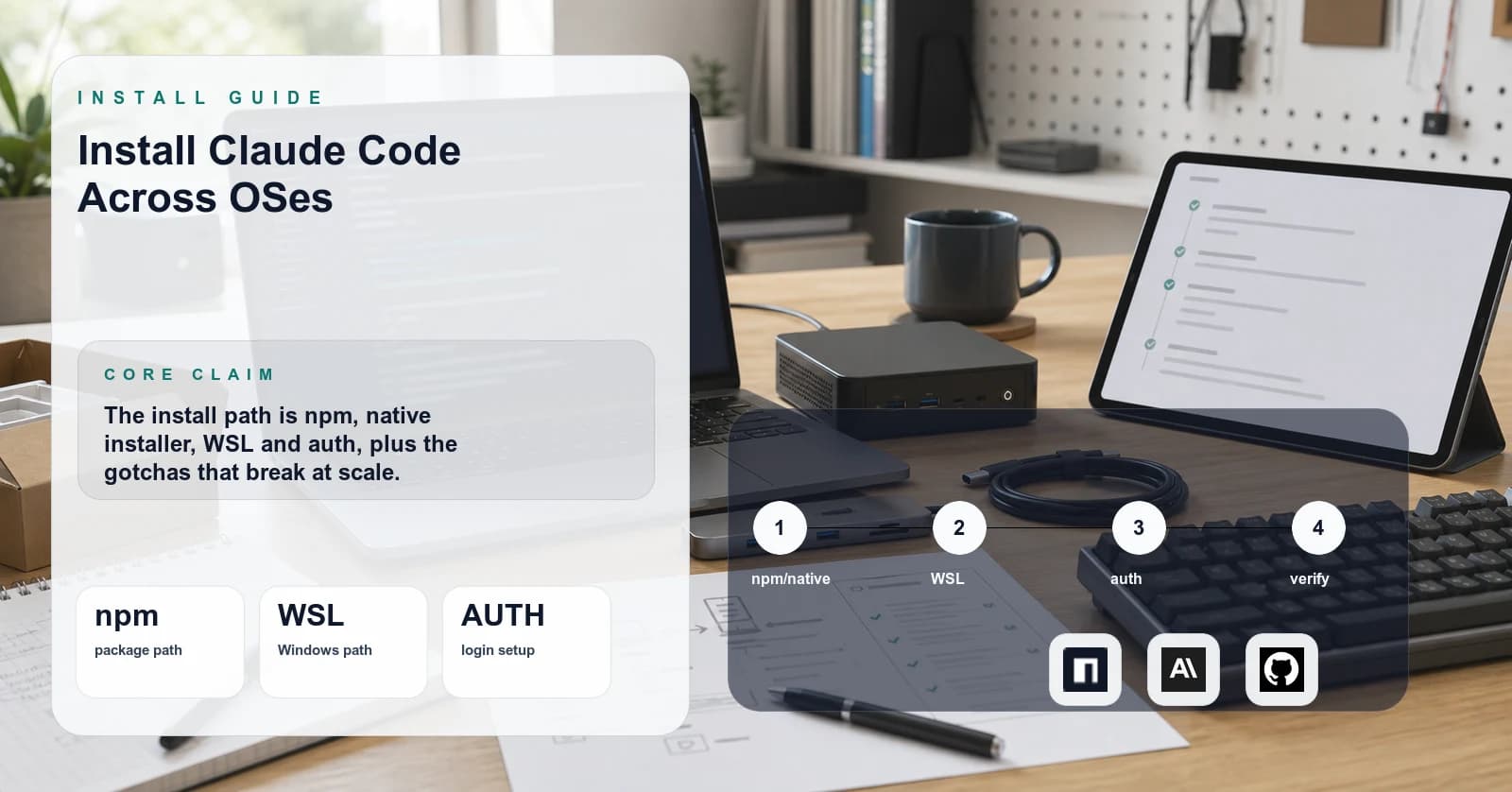
I have run Claude Code on three machines this year: a 2024 MacBook Pro, a Hetzner Ubuntu 24.04 box, and a Windows 11 laptop where I had to fight WSL for an afternoon. The official install instructions cover the happy path. The part they skip, where claude exits silently or auth loops forever, is what this page is for. Specific commands, the actual error messages I hit, and the operational realities the quickstart page does not mention. Where a companion example repo helps, I link to one [unverified] rather than expecting readers to take its contents on faith.
TL;DR
Pick the installer that matches the host. On macOS and Linux, use the native installer or Homebrew. On Windows, use WinGet, or run inside WSL2 (Ubuntu 24.04) if the project and toolchain already live in Linux territory. On any box that already has Node 18+, npm install -g @anthropic-ai/claude-code works everywhere.
The current quickstart at code.claude.com/docs/en/quickstart (fetched 2026-05-06) lists native install as recommended and documents Homebrew, WinGet, and Linux package-manager paths. Pick whichever matches how the rest of the host is managed.
Then run claude in a project directory and authenticate via the browser flow.
If claude hangs or fails on first run, the cause is almost always environmental rather than the package itself. The usual suspects:
- EACCES on the global npm prefix
- A stale
~/.claude/credential from a prior install - Outbound HTTPS to
api.anthropic.comblocked or TLS-intercepted by a corporate proxy - A misconfigured
TERM - The auto-updater stalling on a slow network
The troubleshooting section below walks each one.
Prerequisites
Confirm these versions before installing. I have hit silent failures on every one of them.
- Node.js 18.0 or newer. Run
node --version. Anything older than 18 is unsupported. On one 16.x box I saw an opaque syntax error on first invocation rather than a clean version-check error. Node 22 LTS is what I run on all three machines in this writeup. - npm as the package manager if going the npm install route. npm ships with Node and is the path I have actually tested. Alternate package managers (pnpm, yarn) are outside the verified scope of this tutorial.
- A terminal that handles modern ANSI escape sequences. The operator check, not a brand preference: run
echo $TERMand confirm it returnsxterm-256colororscreen-256color, that the emulator renders box-drawing and Unicode glyphs without substitution, and that over SSH the connection is allocated a TTY (ssh -tif not). Any emulator that passes those three checks is fine. Some IDE-embedded shells render the TUI cleanly and others drop escapes, so if a particular embedded shell mangles output, fall back to a standalone emulator instead of debugging the host. - An Anthropic account with billing attached OR a Claude Pro/Max subscription. The CLI authenticates against the same account either way. Subscription billing and pay-as-you-go API billing are separate cost paths: the subscription has a flat monthly fee with quota caps, the API meters per token consumed. Current pricing for both lives at anthropic.com/pricing and shifts often enough that pinning numbers in a tutorial guarantees rot, check it before signing up rather than trusting any figure quoted in a third-party page.
- A project directory. Claude Code is project-scoped. It reads CLAUDE.md from the working directory and writes session state and configuration locally under
~/.claude/. The subdirectory layout has shifted across releases, so rely on the CLI's own commands rather than poking at files directly.
Cost to follow this tutorial: zero on an existing Pro/Max plan. On pay-as-you-go the spend depends on the model selected, how many files Claude reads, tool-call retries, and whether the smoke test runs once or iterates, so I will not pin a number, a couple of trivial test prompts against Sonnet are cheap and a debugging session that pulls in 30 files is not.
Step 1: Install Node 22 (if you do not have it)
Skip this if node --version already returns 18 or higher.
On macOS:
# Using Homebrew
brew install node@22
brew link node@22

# Or using nvm, the right pick when multiple projects on the same host
# require different Node majors and switching between them has to be cheap.
# Grab the current installer command from the nvm README at
# github.com/nvm-sh/nvm rather than pinning a version inline here, since
# the installer URL is what shifts most often.
nvm install 22
nvm use 22
On Ubuntu/Debian:
curl -fsSL https://deb.nodesource.com/setup_22.x | sudo -E bash -
sudo apt-get install -y nodejs
On Windows: native PowerShell and CMD are supported install targets per the official quickstart at code.claude.com/docs/en/quickstart (fetched 2026-05-06), with Git for Windows recommended so the Bash tool has a shell to call into. If the project and toolchain already live inside WSL2, install WSL with wsl --install -d Ubuntu-24.04 from an admin PowerShell and run the Ubuntu commands above inside the WSL shell. My default: pick the side where the project actually lives and stay there. I avoid /mnt/c/ cross-mount projects; path semantics and git behavior get weird exactly when an agent needs the filesystem to be boring.
★ Insight ─────────────────────────────────────
Node 22 is the LTS line I run on all three machines in this writeup, so it is my default for fresh installs. The Windows-vs-WSL question is less about which one works and more about not straddling the boundary. Pick a side; agents need filesystem semantics to be boring.
─────────────────────────────────────────────────
Step 2: Install Claude Code
As of 2026-05-06, the official quickstart at docs.anthropic.com/en/docs/claude-code/setup lists several supported install paths. Package identifiers and installer names shift more often than the surrounding docs do, so treat the specific names below as directional and confirm against the current quickstart before running them. Pick the path that matches how the rest of the host is managed:
- Native installer (macOS, Linux). A standalone binary, no Node toolchain required. The right pick when the box is not already a Node host and adding one just for this is overhead.
- Homebrew (macOS, Linux). Use the package name shown in the current quickstart if Homebrew is the package manager of record on the machine.
- WinGet (Windows). Use the package identifier shown in the current quickstart from a PowerShell prompt. Still, for actual project work I run inside WSL2, see Step 1.
- npm global (any platform with Node 18+). The path I default to on machines that already have Node tooling, since updates flow through the same channel as everything else I run:
npm install -g @anthropic-ai/claude-code
That installs the claude binary on PATH. Verify the binary resolves:
claude --version
Expected output: a Claude Code version string. If claude: command not found, the global npm bin directory is not on PATH. Find it with npm config get prefix, then add <that-path>/bin to the shell profile.
If EACCES errors hit on macOS or Linux during npm install: do not sudo npm install -g. Reaching for sudo permanently mixes root-owned files into the npm tree and the global bin shims, and the cleanup is worse than starting over. Reconfigure npm to use a user-owned prefix instead:
mkdir -p ~/.npm-global
npm config set prefix '~/.npm-global'
echo 'export PATH=~/.npm-global/bin:$PATH' >> ~/.zshrc
source ~/.zshrc
npm install -g @anthropic-ai/claude-code
I have watched the sudo path leave hosts in the same broken shape more than once: a global prefix tree with mixed root-and-user ownership, where subsequent npm install -g as the regular user partially writes, partially fails, and leaves bin shims pointing at files the user cannot replace. That mixed-ownership state is the failure class to avoid, and it is hard to fully unwind once it sets in. If it has already happened on the host, the clean recovery is to abandon the system npm prefix entirely: switch to one of the non-npm installers above (native or Homebrew on macOS/Linux, WinGet on Windows), or rebuild Node under a user-owned version manager like nvm so the global prefix lives under $HOME from the start. Either way, the goal is a prefix the operator account owns end-to-end, not a patched-up /usr/local tree.
Step 3: First run and authentication
Navigate to any project directory (or make a fresh one) and launch:
mkdir -p ~/code/claude-test && cd ~/code/claude-test
git init
claude
On first run, Claude Code opens a browser tab for OAuth against the Anthropic console. If the launcher fails to open a browser (common on headless servers and some WSL configs), it prints a URL to paste into a browser on a different machine. Once OAuth completes, the CLI stores a credential locally under ~/.claude/ so subsequent invocations skip the flow. The exact filename has shifted across releases, so rely on the CLI's own credential-management commands rather than editing the file by hand.
Two options at the auth prompt:
- Sign in with Claude account (Pro/Max subscription). Conversations bill against the subscription quota, and the auth lives entirely on the device that ran the OAuth flow.
- Use API key. Paste an Anthropic API key (
sk-ant-...) and pay per token consumed. The key is read fromANTHROPIC_API_KEYif set in the environment, otherwise from the credential the CLI writes after the prompt.
How to choose between the two, in operator terms rather than personal-preference terms: subscription auth is the right shape for a single human at a single workstation doing interactive work, since the spend is capped by the plan and there is no token meter to babysit. API-key auth is the right shape anywhere the workload is metered, scripted, shared across hosts, or run inside CI, since it gives per-key spend limits, per-key rotation, per-key revocation, and per-key rate-limit accounting in the Anthropic console. Teams and fleets pick API-key auth not because it is cheaper but because it is the only one with the controls a fleet operator actually needs.
A warning on API-key auth: a runaway agent loop on metered billing burns real money before anyone notices. My hygiene: one workspace key per host or CI runner, workspace-level spend limits, no committed keys, scheduled rotation, and rate-limit headers watched on shared hosts.
Once authenticated, the Claude Code TUI loads. Type /help to see commands. Type exit or hit Ctrl+C twice to leave.
Step 4: Configure project context
Claude Code reads CLAUDE.md from the working directory at session start. In my own use across the three machines in this writeup, having a real project-context file is what cuts down on repeated "what does this codebase do, what are the conventions, what's the test command" preamble at the start of every session. I do not care whether the harness prepends, summarizes, or slices it internally; the visible effect is that conventions stated there are respected without restating them.
Create one in the project root:
cat > CLAUDE.md <<'EOF'
# Project context

This is a [language] project that does [one sentence].

## Commands

- Test: `npm test`
- Build: `npm run build`
- Lint: `npm run lint`

## Conventions

- Use [framework X], not [framework Y]
- All code lives under `src/`
- Tests live next to source files as `*.test.ts`

## Things to avoid

- Do not add comments unless they explain WHY
- Do not introduce new dependencies without asking
EOF
Operator tip on length: shorter, high-signal context outperforms long context in my experience. A tight file that names the commands, the conventions, and a few hard "do not" rules tends to get followed. Files that sprawl into background prose, historical notes, and aspirational guidelines tend to get partially ignored, the back half is the part that goes first. There is no public threshold I can cite, just the directional observation that I trim my own CLAUDE.md files aggressively and the model behaves better when I do.
A global ~/.claude/CLAUDE.md is also supported for cross-machine rules (name, stylistic preferences, hard rules that apply everywhere). The interaction between global and project files, whether project strictly overrides, whether they merge, whether one wins on conflict, is [unverified] and has shifted across releases in ways I have not pinned down. The safe operator move is to treat them as additive rather than hierarchical: do not put a rule in global expecting the project file to override it cleanly, put conflicting rules in only one place, and verify the active context with the installed CLI version before relying on precedence.
★ Insight ─────────────────────────────────────
The project-scoped CLAUDE.md is the difference between Claude Code as a coding chatbot and Claude Code as a project member that already knows your conventions. The file is plain markdown that survives across sessions in the same directory, that alone is enough to justify writing one before the first real prompt.
Keep it tight. The operator-grade version of this advice is "if a section of the file would not change how you would brief a new contractor in week one, cut it."
─────────────────────────────────────────────────
Step 5: Test the install with a real task
A quick smoke test that exercises file read, edit, and the model end-to-end:
echo "console.log('hello');" > test.js
claude
At the prompt:
Read test.js and rewrite it to print "hello, world" instead. Then run it with node.
If everything is wired correctly, Claude Code reads the file, proposes an edit, asks for permission unless the installed edit-approval mode is configured to auto-apply, then runs node test.js and shows hello, world. Exit with Ctrl+C twice.
If the model spins forever, it is almost always an outbound network issue. Claude Code talks to api.anthropic.com over HTTPS. Corporate proxies that intercept TLS will break it unless HTTPS_PROXY is set and the proxy CA is trusted.
Common errors
Error: claude: command not found
What it means: the npm global bin directory is not on your PATH.
Fix:
echo "export PATH=$(npm config get prefix)/bin:\$PATH" >> ~/.zshrc
source ~/.zshrc
Error: Error: Cannot find module 'node:worker_threads'
What it means: you are on Node 16 or older. Claude Code requires Node 18+.
Fix: upgrade Node. See Step 1.
Error: EACCES: permission denied, mkdir '/usr/local/lib/node_modules/@anthropic-ai'
What it means: npm's global prefix is owned by root and you are running as a regular user.
Fix: do NOT use sudo. Reconfigure the prefix to a user-owned directory (see Step 2).
Error: Authentication failed: invalid_grant
What it means: the locally cached OAuth credential is stale, usually after a long absence or a password rotation on the Anthropic account.
Fix: prefer the CLI's own auth-reset path over poking at files. Run claude and use the in-session /logout command (then re-launch and sign in), or claude --help to find the current logout/login subcommands for the installed version. If that does not clear the bad state, back up the credential directory before touching it rather than deleting in place: move ~/.claude/ aside to ~/.claude.bak-$(date +%Y%m%d)/ so the session logs and any project state come with you, then re-run claude to trigger a fresh auth flow. If the new flow succeeds, the bak directory can be archived off-machine and removed later. The exact credential filename inside ~/.claude/ has shifted across releases (treat the specific path as [unverified]), which is the other reason to move the whole directory aside rather than delete a named file that may not be the one holding the stale token.
Error: TUI renders garbage characters / boxes
What it means: your terminal does not handle the ANSI escape sequences Claude Code emits, or TERM is set wrong.
Fix: ensure echo $TERM returns xterm-256color or screen-256color. If you are over SSH, use ssh -t or set TERM=xterm-256color explicitly. Switch to iTerm2, Ghostty, or Windows Terminal if you are stuck on a legacy emulator.
Error: Claude Code hangs on first prompt with no output
What it means: outbound HTTPS to api.anthropic.com is being intercepted or blocked.
Fix: test the API host: API_HOST=api.anthropic.com; curl -v -X POST "https://$API_HOST/v1/messages" -H 'content-type: application/json' -d '{}'. A 401 means the network path works. A timeout, TLS error, or proxy reset means network or proxy trouble. For corporate proxies, set HTTPS_PROXY.
Things nobody talks about
These are the operational realities I have hit running Claude Code on real projects, none of which are in the official quickstart.
1. The ~/.claude/projects/ directory grows without bound. Every project where claude runs writes a session log there, and the CLI does not garbage collect. My own tree is in the multi-gigabyte range as of 2026-05-06. Measure with du -sh ~/.claude/projects, archive older JSONL transcripts before deleting them, and treat the directory as recoverable work history plus audit context rather than disposable cache.
2. Token costs on pay-as-you-go can surprise you. A small debugging session that makes Claude read 30 files can run 100K+ input tokens. The /usage command shows current-session estimates (per code.claude.com/docs/en/costs, fetched 2026-05-06), but I still cross-check the Anthropic console when I am on metered API billing.
3. CLAUDE.md is loaded but not pinned in cache the way you might expect. If you edit CLAUDE.md mid-session, restart the session for the changes to take effect. The CLI does not hot-reload it. I have lost an hour debugging "why is Claude ignoring my new rule" before remembering this.
4. The auto-update prompt is opt-out, not opt-in. The CLI checks for updates on startup and prompts to upgrade. On servers where pinned, reproducible behavior matters, set DISABLE_AUTOUPDATER=1 in the environment. Otherwise a CI run can pull a new minor version mid-week and change behavior underneath the workload.
5. Vendor lock-in is real but bounded. Workflows built around CLAUDE.md, custom slash commands, and the Skill tool do not port cleanly to a different agent CLI (Cursor, Aider, a self-hosted alternative). The CLAUDE.md file itself is portable, it is just markdown, but the slash-command system and the hooks API are Claude-Code-specific. Budget a few days if a migration ever becomes necessary. I have not migrated and do not plan to, but I keep the workflows portable enough that I could.
6. LLM gateway routing is officially supported, but the operational details are on you. Anthropic documents ANTHROPIC_BASE_URL, ANTHROPIC_BEDROCK_BASE_URL, and ANTHROPIC_VERTEX_BASE_URL (per code.claude.com/docs/en/bedrock-vertex-proxies, fetched 2026-05-06). In my short LiteLLM test the basic completion path worked; I did not validate long streaming tool-use sessions. Test the actual gateway before committing.
Conclusion
The cleanest install in 2026 is the one that matches your platform: the native installer on macOS and Linux, the native Windows installer or WSL2 on Windows, and npm install -g @anthropic-ai/claude-code if you already live in Node tooling and want the package on a pinned Node 22 LTS. Whichever path you pick, write a real CLAUDE.md before your first prompt. That is the step most installs skip and most regrets trace back to.
When this approach wins: you want a fast, opinionated coding agent with deep file-system access and you have an Anthropic account. When it does not win: you are locked to a different model provider for compliance reasons, you cannot allow outbound to api.anthropic.com, or you need a fully self-hosted control plane. In those cases look at Cursor (different product, different tradeoffs), Aider (open-source, model-agnostic), or rolling your own with the Anthropic SDK.
★ Insight ─────────────────────────────────────
The single highest-leverage post-install action is writing a real CLAUDE.md. Most "Claude Code is bad at my codebase" complaints I see online come from people who never wrote one. Twenty minutes spent on CLAUDE.md is worth more than any prompt-engineering tweak.
The second-highest-leverage action is setting up a hook. Even a single PreToolUse hook that blocks commits to main, or a Stop hook that runs your test suite, changes the agent from "assistant" to "team member that respects your guardrails."
─────────────────────────────────────────────────