OpenClaw Deep Dive: Self-Hosted Multi-Channel Agent Gateway (2026)

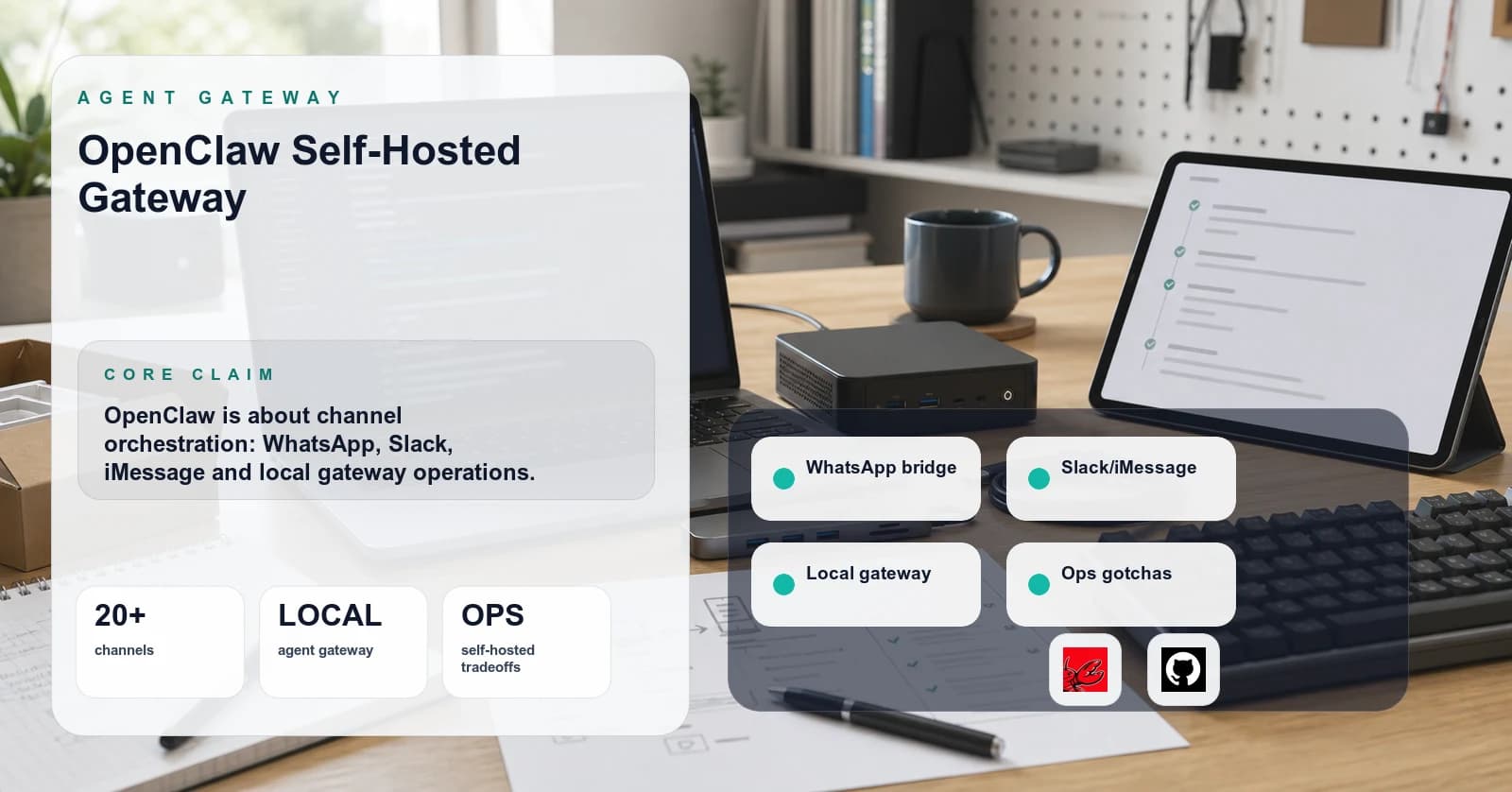
I started looking at OpenClaw after a third weekend of writing the same boilerplate: a Slack bolt app, a Telegram bot, a Discord cog, all calling the same model with different session glue. What I wanted was the layer between channel inbox and agent runtime. OpenClaw occupies that niche: a self-hosted daemon owning channel adapters, per-peer routing, and session state above whichever model gateway you run. This take rests on the README, releases, and config docs as of 2026-05-06 plus one single-operator Mac mini install; multi-Gateway topologies and voice surfaces stay untested, so read it as doc-and-source review with one limited install behind it.
TL;DR
Pick OpenClaw when the deployment needs a self-hosted multi-channel agent gateway, the operator can run a long-lived daemon on a host they own, and three or more messaging surfaces (Slack plus WhatsApp plus iMessage is a common deployment shape) need to share one agent runtime, sessions, and identity. Skip OpenClaw when the requirement is a hosted SaaS with someone else's SLA, when only one channel is in scope (the native SDK is less surface area to own), or when Node 24 (or Node 22.14+) cannot run on the host. As of 2026-05-06, the project is MIT-licensed, on a YYYY.M.D calver scheme, and shipping multiple times per week per the releases page, so operators should plan for a moving target and pin versions deliberately against the installed version.
The mental model
OpenClaw is a local Gateway. That phrase carries weight. It is not a chat client, not a model router, not an agent framework. It is a daemon you install on a machine you control that acts as the control plane for sessions, channels, tools, and events. Inbound traffic arrives over a channel adapter, gets routed to a per-peer agent based on who sent it and where, and the agent runs against whatever LLM you configured below it.
The pieces, in the order data flows:
- Channel adapters. Built-in and plugin connectors own the wire protocol for each messaging surface. The supported set spans the major chat platforms plus a long tail of regional and niche surfaces, and the exact roster moves with the release cadence, so consult the project README against the version installed rather than trusting any roster quoted in a deep dive.
- Routing layer. Maps inbound channel + account + peer to a per-peer agent and per-peer session. I have not confirmed the exact process and memory boundaries against current source, so I would validate that on the installed version before treating it as a security boundary. Directionally: routing is per-peer rather than per-tool. Routing and session glue is the kind of code that looks trivial until I have written it three times across three channels and discovered the fourth needs a different identity model; the line count is small, the edge-case surface is not, and most teams underestimate the maintenance tail by a wide margin.
- Agent runtime. Where your skills, tools, and prompts live. Calls out to whichever model provider you wired up.
- Companion surfaces. macOS menu bar app, iOS and Android nodes, browser dashboard, and an agent-driven Live Canvas using a UI protocol the project calls A2UI.
Strip the marketing register and what you have is essentially: a session-aware fan-in/fan-out for chat, a tool runtime, and an admin UI. The "personal AI assistant" framing is the shape of the v1 use case, not a ceiling on the architecture.
The landscape
The space splits along adjacent layers, not a single axis. Sorting them cleanly matters because OpenClaw's actual peer set is narrower than the surface comparison suggests.
Hosted multi-channel agent platforms take chat ops off the operator's plate at the cost of running prompts, transcripts, and customer data through a third-party SaaS, with the exact data-handling posture varying by vendor and plan tier. Right shape for non-technical operators who need a vendor on the hook. Wrong shape for builders who want the agent process on a host they own.
Self-hosted multi-channel gateways (OpenClaw, OpenClaw.NET, Errbot, and to a lesser extent older chatops daemons like Hubot that predate the agent framing) keep workspace state local and let operators compose a model stack underneath. Cost is a long-running daemon plus the operational surface that comes with it. This is OpenClaw's actual peer set.
Single-channel SDKs (Slack Bolt, discord.js, twilio-conversations for WhatsApp, Vercel Chat SDK for the multi-platform-chat-bot framing) are the right choice when the deployment genuinely needs exactly one surface. Each additional channel pulls in more of the routing, identity, and session-store work that OpenClaw has already written, so the cost of staying on raw SDKs grows roughly with the channel count rather than staying flat. Where the crossover sits depends on how much of that glue the team is willing to own.
Agent frameworks (LangGraph, OpenAI Agents SDK, Anthropic agent harness, pi-mono for tight tool loops) sit at a different layer than the gateway. Most of them can be wired up as the agent the Gateway routes to, so they are usually adjacent rather than substitutable, though a team that is willing to own its own channel adapters and session store can reasonably run a framework directly without a gateway in front of it. The integration shape varies per framework, and I have not personally exercised every pairing.
The comparison operators usually care about, then, is OpenClaw against rolling a chat-adapter library plus a session store in-house, which is the path I have been taking in pi-mono based projects. The criteria worth scoring on that comparison are concrete: time to add the Nth channel, who owns the routing and pairing logic when it breaks, whether session state survives a daemon restart, and how much of the auth model the team wants to write versus inherit. The cost is operator time, not a vendor invoice, and time is the variable most deployments mis-estimate.
What actually matters operationally
These are the dimensions vendor pages do not emphasize but that drive real production decisions.
Data ownership and residency. Workspace and configuration default to paths on the host you control rather than a project-operated cloud; confirm the exact filesystem layout against the installed version before designing backups around it. Directionally, there is no OpenClaw-managed backend in the path, which means transcripts and session state do not transit a project-operated cloud as far as I have been able to confirm from public docs. That is not the same as "data stays local," because channel providers see message content under their own policies, and prompts still leave your infrastructure to whichever model provider is configured as a sub-processor. If the compliance question is who holds the conversation log on a project-operated backend, OpenClaw scores well. If the question is every party that touches a message in flight, the answer depends on channel mix and model choice.
Process model. OpenClaw is a long-lived daemon. The project documents an onboarding flow that registers it as a user-level service on macOS and Linux, though the exact command name and supervisor wiring should be read off the current docs at install time rather than trusted from a deep dive. The operational consequence is the same regardless of the exact invocation: a host that stays awake, a service supervisor that respects user sessions, and a story for log rotation. This is not a Vercel-style "deploy and forget" surface; the operational requirements are the ones any persistent user daemon carries, listed concretely below in the Gateway teardown.
Auth and pairing. The documented safe DM pattern is pairing mode. A user's first DM creates a pending pair that an operator approves with openclaw pairing approve <channel> <code>. This is the right shape for personal assistants and the wrong shape for customer-facing bots, where anonymous sender approval should be automated upstream. Worth knowing before shipping.
Isolation and sandboxing. The project describes per-agent and per-session separation, and the setting agents.defaults.sandbox.mode: "non-main" is documented as running non-main sessions in sandboxes. I have not personally confirmed whether the sandbox is process-level, container-level, or language-level on the current source, so validate the granularity on the installed version before trusting it with hostile input. Directionally: separation is per-session rather than per-tool, which is coarse if a single tool absolutely must not run untrusted input. Plan around that.
Skills surface. The skills registry exists and is large, with the VoltAgent skills index the most visible catalog. Quality is uneven across the index, the surface is still settling, and pinning skill versions matters more than the docs imply.
Release cadence. Versions follow YYYY.M.D calver and the project ships frequently, often multiple times in a single week with beta tags interleaved between stable cuts. The production posture that follows is concrete, not rhetorical: pin the Gateway package to an exact resolved release rather than @latest, pin the Node runtime to a single resolved version recorded in whatever runtime-version file your manager reads (ranges like 24.x re-resolve on every install and defeat the point), pin the channel plugins individually because they ship on independent cadences, and pin every third-party skill by version with the source read before install. Anything left floating is a regression channel.
Cost. No vendor invoice. Operational cost is the host (any persistently-awake machine with the supported Node runtime is enough for low-volume personal use; sizing for higher-volume or multi-channel deployments is workload-dependent and I have not benchmarked it), inference (whichever model provider you wire up), and your time. For most chat-heavy workloads the model bill is the largest line item by a comfortable margin, though the exact ratio depends on host class and traffic.
Detailed teardowns
The Gateway daemon (the core piece)
The Gateway is the part everyone interacts with. It runs on a recent Node LTS (check the project docs for the exact minimum and recommended versions before installing). It exposes a browser dashboard covering chat, configuration, sessions, and node management, plus a CLI for the operations the dashboard does not yet cover. The exact split between dashboard and CLI is moving with the release cadence, so verify specific affordances on the installed version.
Tradeoffs:
- Right call when: you have one host you trust, you want isolated agents per workspace or peer, and you want the channel-routing layer to be someone else's problem.
- Wrong call when: the host is ephemeral (do not run it on a Lambda or a stateless container without a persistent volume), you want horizontal scale-out (the architecture is oriented around a single Gateway per workspace as far as I can tell from the docs, though I have not stress-tested multi-Gateway topologies), or you need fine-grained role-based access control across multiple operators (the auth model appears oriented toward single-operator deployments, which is consistent with the personal-assistant framing but worth confirming against your own threat model).
Cost shape: zero license cost (MIT), one host, one Node runtime. Operationally the requirements are concrete, not analogical. A persistent host that does not sleep or get reaped. A service supervisor (launchd on macOS, systemd on Linux) that restarts the daemon on crash and on boot. A log destination with rotation, because a chat gateway logs continuously and an unrotated log file will eventually fill the disk. Scheduled backups of ~/.openclaw/workspace (the conversation and session state) and of ~/.openclaw/openclaw.json (the configuration), with both included in the same snapshot so a restore lands on a consistent pair. A documented restore procedure that you have actually run at least once against a spare host, because the first time you discover your backup is missing a file is not the time to find out.
Companion apps and Live Canvas
The macOS menu bar app, iOS, and Android nodes are documented as ways to extend presence to devices the Gateway host is not running on. The project describes Voice Wake and Talk Mode as voice surfaces backed by system TTS with an ElevenLabs fallback, and the Live Canvas as an agent-driven visual workspace built on a UI protocol the project calls A2UI. I have not personally exercised the voice path or the canvas at depth, so treat those as project-claimed capabilities rather than independently confirmed behavior.
Right call when: the deployment genuinely needs voice and visual surfaces alongside chat, and the operator is willing to run mobile companions to get them. Wrong call when: only text channels are in scope. The companion apps are optional, which is the correct default. The project does not force them on the Gateway host.
OpenClaw.NET fork
OpenClaw.NET is a separate community project that re-implements the Gateway in .NET with NativeAOT compatibility. If the operating environment is a .NET shop and the team cannot operate a Node runtime, it is worth a look. It is not feature-equivalent to upstream and the two projects ship on different cadences, so treat it as a sibling, not a drop-in.
Right call when: already running .NET infrastructure and want a single language stack. Wrong call when: latest upstream adapter coverage is required. Upstream gets new adapters first.
Mission Control dashboard
abhi1693/openclaw-mission-control is a third-party agent orchestration dashboard that talks to a running OpenClaw Gateway. It exists because the built-in dashboard prioritizes single-operator personal-assistant ergonomics, and operators running several agents at once wanted denser multi-agent visibility, the kind of orchestration view where the active sessions, peers, and per-agent state are legible at a glance rather than walked into one workspace at a time. Treat it as a community tool with the usual community-tool caveats around auth, version drift, and bus factor.
The standards layer
OpenClaw uses a UI protocol called A2UI for its Live Canvas surface. A2UI is not (yet) an open standard with multiple implementations. Treat it as a project-specific protocol for now. If A2UI becomes a real cross-tool protocol the way MCP did for tool calls, the picture changes; until then, build canvas-dependent flows knowing the surface is OpenClaw-specific.
The skill plugin format is also project-specific. There is a skills registry and a pnpm-based workflow for source checkouts, but no spec like MCP that lets the same skill plug into a different agent runtime. If you build a skill that you want to keep portable, write the actual logic as a thin shim around an MCP server you also expose; the OpenClaw skill becomes the channel-shaped wrapper, not the implementation.
The model layer is where standards already exist and OpenClaw composes well. You can put OpenAI, Anthropic, OpenRouter, or LiteLLM underneath. The Gateway does not care, which is the correct architectural decision.
Things nobody talks about
1. The daemon competes with your other long-lived user services on the host.
On macOS, openclaw onboard --install-daemon registers a launchd user agent. If the host already runs a stack of personal services (sync clients, Tailscale userspace, syncthing, OneDrive, the works), the Gateway is one more long-lived process subject to the same failure modes those services already exhibit: sleep and wake behavior on laptops, restart semantics on logout and fast user switching, file-descriptor and memory pressure under load, log files that grow without rotation unless something rotates them, and a login-session lifecycle that can reap user agents in ways system daemons avoid. The consequence at production scale: laptops that go to sleep mid-conversation will lose in-flight sessions, and an unrotated log will eventually fill the disk. Run the Gateway on a machine that does not sleep, with a service supervisor configured to restart on crash and on boot, and with log rotation wired up before traffic arrives. A Mac mini, a Linux box, a small VPS, anything that stays awake. Running it on a laptop and expecting WhatsApp to be reliable is a category error.
2. iMessage support carries the BlueBubbles operational cost. iMessage is one of the listed channels, but Apple does not offer a server-side iMessage API. The path is through BlueBubbles, which itself requires a Mac running the BlueBubbles server connected to an Apple ID. A "self-hosted iMessage gateway" is therefore actually two daemons on two machines, plus an Apple ID dedicated to the deployment. The README lists iMessage and BlueBubbles as separate channels for this reason. If iMessage is on the must-have list, budget the second machine and the Apple ID, or accept that this channel is materially harder than the others.
3. The skills registry is large, uncurated, and runs as untrusted code by default.
The VoltAgent skills index is a long, unevenly curated catalog, and skill quality varies enormously across it. There is no equivalent of npm's audit feed for OpenClaw skills, no signed-publisher concept, and skills can ship with arbitrary code that runs inside the agent context. Pinning a version and reading the source is the floor, not the ceiling. For anything beyond a personal deployment, treat every third-party skill as untrusted code and apply the controls that follow from that posture: run skills under least-privilege credentials (a per-skill API key with the narrowest scope the model provider exposes, never the operator's primary key), isolate execution using agents.defaults.sandbox.mode: "non-main" so non-main sessions run inside the sandbox the project provides, restrict filesystem and network access to the minimum the skill genuinely needs (process-level on Linux via systemd's RestrictAddressFamilies, ReadOnlyPaths, and friends; equivalent measures on macOS where the platform allows), gate egress at the host firewall to an allow list of domains the skill is expected to reach, and ship customer-facing deployments with unknown or unaudited skills disabled at config rather than installed-and-trusted. The skills surface is a soft supply chain. Treat it like one.
4. Calver release tags require explicit version pinning.
Releases follow a YYYY.M.D calver scheme and the project is shipping multiple times per week, with beta tags interleaved between stable cuts. With this cadence, "I installed the latest release last week" can mean a meaningfully different feature set than the same phrase a colleague says today. In any production deployment, pin the exact version (npm install -g openclaw@<resolved-version>) and treat upgrades as a deliberate change-management step. The default openclaw@latest is fine for personal use and dangerous for anything load-bearing.
5. Sponsor list does not equal vendor commitment. The README lists OpenAI, GitHub, NVIDIA, Vercel, Blacksmith, and Convex as sponsors. Sponsorship usually means infrastructure credits and goodwill, not contractual support. If a business case requires a vendor on the hook for SLAs, OpenClaw is not the right shape. The available channel for help is community support, not a paid support contract, and community support carries no SLA by definition.
Implementation patterns
Pattern A: install and run as a single-operator personal assistant
# verified against project README, 2026-05-06
# resolve the supported Node runtime from the project docs before installing
node --version

# install the current resolved version per the project README
# (do not rely on @latest in production; see Pattern B for pinning)
npm install -g openclaw
openclaw onboard --install-daemon

# config lives at ~/.openclaw/openclaw.json
# workspace at ~/.openclaw/workspace
# dashboard at http://localhost:<configured-port>
When to choose this: solo operator, one host, you control all senders and channels. Good first deployment shape. Resolve the exact Node version and OpenClaw release against the project README at install time rather than copying a version string from a deep dive, since both move with the calver cadence.
Pattern B: production-style version pinning and sandbox-by-default
Edit ~/.openclaw/openclaw.json so non-main sessions run sandboxed:
{
  "agents": {
    "defaults": {
      "sandbox": {
        "mode": "non-main"
      }
    }
  }
}
Pin the Gateway to a resolved version:
npm install -g [email protected]
Pin Node the same way. Resolve the exact runtime version on the host (via nvm, fnm, asdf, volta, or mise), record that resolved value in whatever runtime-version file your manager reads, and treat ranges like 24.x or 22.x as a smell, not a pin. A range re-resolves on every reinstall, which defeats the point of pinning. Document the resolved value alongside the OpenClaw version so a re-deploy six weeks from now lands on the same bytes.
When to choose this: anything beyond personal use. Anything customer-facing. Anything where a regression on Wednesday would ruin your Thursday.
Pattern C: pair on first contact, automate on second
Default pairing flow (manual approval per the README):
openclaw pairing approve telegram <code-from-pairing-prompt>
This is the right shape for personal assistants and a friction wall for customer-facing bots. If you need automated approval for a known-good sender pool, gate it upstream of the Gateway: in your channel provider's webhook layer, drop or pre-approve based on your own allow list before the message reaches OpenClaw. Do not patch this around the pairing flow inside the Gateway, which is on a moving release cadence and will eat your patch.
Companion repo with worked deployment configs lives at agentinfra-examples.
Conclusion / decision framework
Use OpenClaw when all of these are true:
- You need three or more channels in front of one agent runtime.
- You can run a long-lived Node daemon on a host you own and that does not sleep.
- You are comfortable pinning versions and re-pinning weekly.
- You do not need a vendor on the hook for an SLA.
- Keeping the OpenClaw workspace and configuration on a host you control (at
~/.openclaw/workspaceand~/.openclaw/openclaw.json) is a feature for you, with the understanding that channel providers (Slack, WhatsApp, iMessage via BlueBubbles, etc.) and your chosen inference provider still see and may retain message content under their own retention policies.
Skip OpenClaw and pick something else when:
- You need exactly one channel. Use the native SDK. The OpenClaw layer is overhead.
- You need horizontal scale-out across many machines. The architecture is single-Gateway-per-workspace.
- You need vendor SLAs. Hosted platforms exist for this reason.
- You cannot run Node 24 or Node 22.14+ on the target host. Either upgrade or look at OpenClaw.NET.
Where the space is going: I would bet that a real cross-tool protocol for canvas and visual surfaces emerges within the next 12 months, the way MCP did for tools. If A2UI converges with whatever Anthropic and others ship, OpenClaw will benefit because the architecture is composable. I would not bet on the skills registry consolidating; the incentives push toward fragmentation, not standardization, until something forces curation.
I would not bet against OpenClaw. The shape is right, the license is right, the local-workspace story is right for operators who want gateway state on their own host, and the project is shipping. This is the kind of AI infrastructure I like: not another chat wrapper, but boring daemon mechanics wrapped around a genuinely useful agent surface. The caveat is the same as the appeal. Shipping fast and self-hosted means owning the daemon.
Verified against github.com/openclaw/openclaw and releases on 2026-05-06.